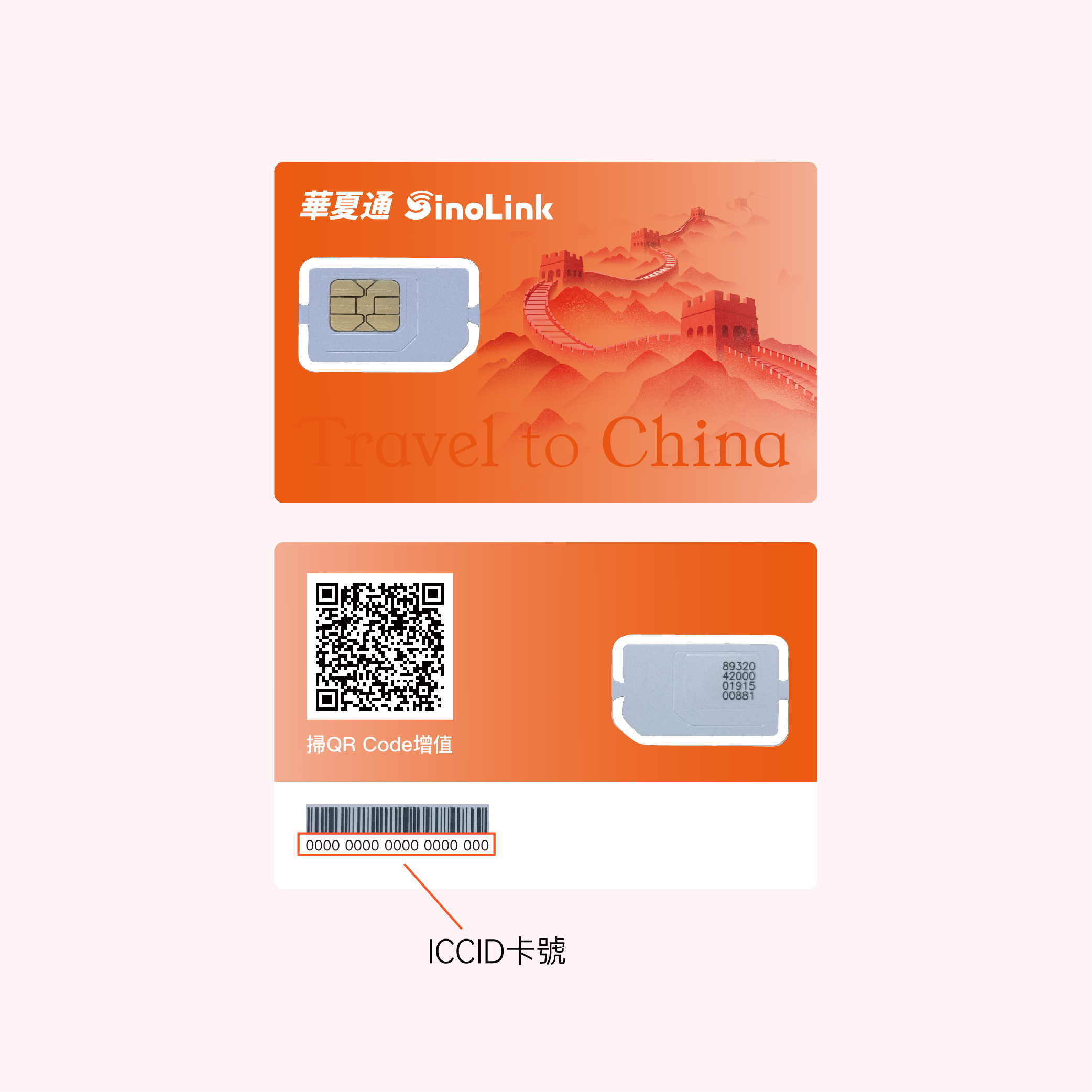
After completing your purchase, you will receive an SMS. Please log in to the website to confirm. If you have any issues, please contact customer service
Does your phone support eSIM?
Apple Device
iPhone XR/XS/XS Max
iPhone 11/11 Pro/11 Pro Max
iPhone SE (2020)/SE (2022)
iPhone 12 Mini/12/12 Pro/12 Pro Max
iPhone 13 mini/13/13 Pro/13 Pro Max
iPhone 14/14 Plus/14 Pro/14 Pro Max
iPhone 15/15 Plus/15 Pro/15 Pro Max
iPhone 16/16 Plus/16 Pro/16 Pro Max
iPad Pro (2018 and onwards)
iPad Air/Mini (since 2019)
Watch series 3/4/5/6/7
Watch SE
Android Device
Google Pixel 3 / 3a / 3a XL
Google Pixel 4 / 4a / 4a XL / 5 / 6 / 6a / 6 Pro / 7 / 7a / 7 Pro
Google Pixel 8 / 8 Pro / 8a
Google Pixel Fold
Google Pixel 9 / 9 Pro / 9 Pro XL / 9 Pro Fold
Huawei P40 / P40 Pro (excluding P40 Pro+) / P50 Pro (requires use with a phone case)
Huawei Mate 40 Pro
Huawei Pura 70 Pro
Motorola Razr 2019 / 5G / 2023 / 40 / 40 Ultra / + / 2024 / + 2024 / 50
Motorola UltraEdge+ / 40 / 40 Pro
Motorola G52J 5G / 5G II
Motorola G53J 5G
Motorola Moto G54 5G
Motorola Edge 40 NEO / 50 Pro / 50 Ultra / 50 Fusion
Motorola Moto G Power 5G (2024) / Moto G Stylus 5G / G84 / G85
Samsung Galaxy A54 5G / A55 5G
Samsung Galaxy Z Flip / Z Flip 5G / Z Flip3 5G / Z Flip4 / Z Flip5 5G / Flip6 5G
Samsung Galaxy Fold / Fold 3
Samsung Galaxy Z Fold2 5G / Fold3 5G / Fold4 / Fold5 5G / Fold6 5G
Samsung Galaxy S20 / S20+ 5G / S20 Ultra 5G
Samsung Galaxy S21 / S21+ 5G / S21 Ultra 5G
Samsung Galaxy S22 / S22+ / S22 Ultra
Samsung Galaxy Note 20 / Note 20 Ultra 5G
Samsung Galaxy S23 / S23+ / S23 Ultra / S23 FE
Samsung Galaxy S24 / S24+ / S24 Ultra
Samsung Galaxy S25 / S25+ / S25 Ultra
Samsung Xcover7
Samsung Galaxy A35
Nuu Mobile X5
Nuu Mobile i1
Planet Computers Gemini PDA
Rakuten Mobile Rakuten Mini
Rakuten Mobile Big-S / Big
Rakuten Mobile Hand / Hand 5G
Oppo Find X3 / X3 Pro
Oppo Reno 5 A / Reno 6 Pro 5G
Oppo Find X5 / X5 Pro
Oppo Find N2 Flip
Oppo Find N3 / N3 Flip
Oppo Find X8 / X8 Pro
Oppo A55s 5G
Oppo Reno 9A
OUKITEL WP30 Pro / 33 Pro
Sony Xperia 10 III Lite / 10 IV / 10 V
Sony Xperia 1 IV / 1 V
Sony Xperia 5 IV / 5 V
Sony Xperia Ace III
TCL 50 5G
Honor Magic 4 Pro / 5 Pro / 6 Pro / 90 / X8 / 50 (some models may not support eSIM) / 200 / 200 Pro
Honor Magic V2 / V3
Xiaomi 12T Pro
Xiaomi 13 (Global version) / 13 Pro (Global version) / 13 Lite (Global version) / 13T Pro (Global version)
Xiaomi Black Shark 3 / 14 / 14 Pro / 14 T / 14 T Pro
Xiaomi Redmi Note 11 Pro 5G (Japan version)
Xiaomi Redmi Note 13 Pro 5G / 13 Pro+ 5G
Xiaomi Redmi Note 14 Pro 5G / 14 Pro+ 5G
Xiaomi Poco X7
Sharp Aquos Sense6s
Sharp Aquos Sense 7 / 7 Plus
Sharp Aquos Wish / 2 SHG08 / 3 / 4 Lite
Sharp Aquos Zero 6
Sharp Simple Sumaho 6
Sharp Aquos R7 / Aquos R8 / Aquos R8 Pro
DOOGEE V30
Fairphone 4 / 5
myPhone NOW eSIM
OnePlus 11 / 12 / 13 / 13R
OnePlus Open
HAMMER Blade 3
HAMMER Explorer PRO
HAMMER Blade 5G
Nokia XR21 / G60 / X30
Vivo X90 Pro (Global version) / V29 / V29 Lite 5G (Europe only) / X100 Pro
Vivo V40 / V40 Lite / V40 SE
Vivo X200 / X200 Pro
ZTE Nubia Flip
TCL 50 5G
Asus ROG Phone 9 / 9 Pro
Realme 14 Pro+

| Network | CTHK |
| Speed | 4G |
| Coverage | Chinese mainland |
| Phone Number | No Required |
| Message | No Required |
| Phone Call | No Required |
Plan Contents
1.Data Details
High-speed data, permanent use.
2.High Speed
Automatically selects the fastest network. Ready for use upon power-on and synchronous activation.
3.Safe
No eKYC required. Activate and use at any time.
4.Convenient
Retain your SIM card across phone or user switches. A single card for a lifetime.
5.Notes
When enabling hotspot sharing, it is recommended to disable sync, backup, and other functions on connected phones to avoid excessive data usage.
Purchase Notice
1. The Sinolink SIM card is only for overseas visitors to access the internet in mainland China.
2. The Sinolink SIM card only provides internet access and does not support making phone calls, sending or receiving third-party SMS, or registering various apps.
3. Please contact customer service if you encounter issues such as prolonged network registration in Mainland China.
4. When you activate the Sinolink SIM card in mainland China, please be sure to disable the data roaming function of the primary card to avoid incurring additional charges. Wish you a smooth and worry-free journey in China!
/5
Total reviews
|
|
Persons recommended this product
Anonymous
Shopper
check_circle Verified
Shop owner replied
Was this helpful
Anonymous
Shopper
check_circle Verified
Shop owner replied
Was this helpful
There are no reviews yet.
Be the first to review “ ”
Thanks for your review!
Your feedback helps us improve our service.
How Sinolink Works
Sinolink Step-by-Step Guide to Simplified Connectivity
Step 1
Select your ideal travel plan on our website and place your order
Step 2
Follow the installation instructions to receive your QR code via email and complete the setup before your trip
Step 3
Activate your eSIM. Enabling it on your device is quick and easy
Why Choose Sinolink
Sinolink eSIM: Seamless Connectivity, High-Speed Internet, Unmatched Convenience